

AI workloads can place heavy demands on computing power, cooling, connectivity, and uptime planning. GPU colocation gives organizations a way to place graphics processing hardware in a specialized facility, instead of housing it inside a conventional office, server room, or private data closet.
This approach can help technical teams plan for more demanding workloads with greater discipline. It is especially relevant as AI moves from experimentation into production environments that may require stable infrastructure, controlled access, and careful operational planning.
What does this deployment model mean?
This deployment model involves placing GPU-based servers inside a third-party data center environment. The business usually owns, leases, or controls the hardware, while the facility provides the physical infrastructure needed to operate it safely.
That infrastructure may include secured rack space, power delivery, cooling, connectivity, monitoring, and access procedures. The goal is not only to host equipment, but to support hardware that may have higher density, heat, and performance requirements than standard IT systems.
Why are GPUs so important for AI workloads?
AI workloads often require many calculations to happen at the same time. GPUs are designed for parallel processing, which makes them useful for model training, inference, simulation, analytics, and other compute-heavy tasks.
A general technical overview of the graphics processing unit explains why GPUs differ from traditional CPUs. In business terms, GPUs can help reduce the time needed to process large models, complex data, and high-volume computational tasks.
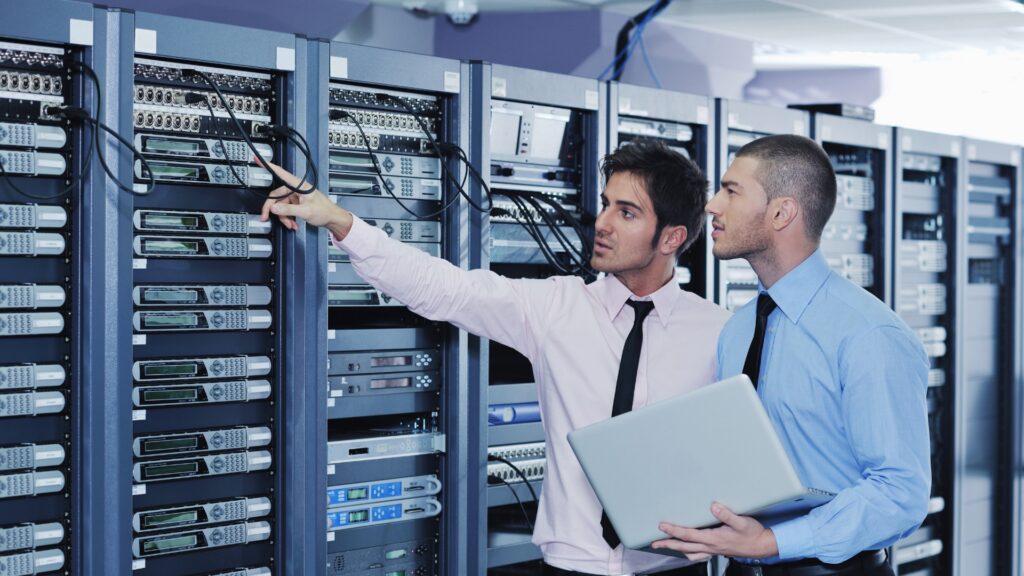
How is this different from traditional colocation?
Traditional colocation often supports general business systems, storage platforms, networking hardware, and enterprise applications. AI-focused deployments may need higher rack density, more advanced cooling, and more careful electrical planning.
The difference is also operational. AI hardware can influence airflow design, maintenance planning, network architecture, redundancy, equipment access, and future expansion decisions. A standard colocation environment may not automatically be suited to GPU-heavy workloads without proper evaluation.
| Area | Traditional colocation | AI-focused GPU environments |
|---|---|---|
| Compute profile | General IT systems | High-performance GPU servers |
| Power planning | Moderate rack density | Higher density and load analysis |
| Cooling approach | Standard thermal management | Advanced airflow or liquid-ready planning |
| Network needs | Business connectivity | Low-latency, high-throughput connectivity |
| Growth planning | Incremental expansion | Compute-heavy scaling requirements |
| Operational focus | Stable application hosting | Intensive workload planning |
What facility conditions matter most for AI hardware?
AI hardware usually needs a controlled and stable operating environment. Power availability, temperature management, humidity control, network reliability, and physical access procedures can all affect performance and hardware health.
Facility planning should also account for future hardware cycles. A site that works for current equipment may need additional preparation before supporting denser racks, higher power draw, or more advanced cooling designs.
When does GPU colocation make sense for a business?
This option can make sense when an organization needs dedicated AI hardware, but does not want to operate the entire facility environment itself. It may also be useful when internal spaces lack the power, cooling, security, or connectivity needed for high-performance systems.
GPU colocation is not the only path available. Teams should compare it with cloud infrastructure, on-premises deployments, and hybrid models. The right choice depends on workload type, data sensitivity, cost structure, latency needs, and long-term growth plans.
How does this model support AI workload planning?
A specialized hosting model can help teams separate hardware strategy from facility operations. Technical teams can focus on system architecture, model performance, storage design, data pipelines, and software requirements.
However, planning still needs to be detailed. Teams should review rack density, available power, redundancy, cooling method, access rules, network routes, and support responsibilities. These factors can affect both deployment timelines and long-term reliability.
Organizations reviewing broader infrastructure needs can explore data center services to understand how planning, compliance, execution, and facility readiness connect. This type of planning helps clarify what must be addressed before hardware is deployed.

Why does cooling matter so much for GPU-heavy environments?
Cooling is one of the most important parts of AI infrastructure planning. High-performance servers generate concentrated heat, and that heat must be removed consistently to support equipment stability.
Cooling strategies may include airflow management, hot and cold aisle design, containment, liquid cooling readiness, or other thermal approaches. The best option depends on hardware density, facility design, redundancy goals, and expected future demand.
Poor cooling planning can create performance limits even when enough compute hardware is available. It can also increase operational risk, especially when equipment is pushed near its design limits for long periods.
Why does power planning affect AI infrastructure decisions?
AI systems can place significant demands on electrical infrastructure. Reliable deployment planning requires more than available power. It requires distribution planning, redundancy design, load monitoring, maintenance procedures, and clear expansion assumptions.
Power planning also affects cost and scalability. If future growth is likely, the electrical design should be reviewed before deployment decisions are made. Adding more hardware later may become difficult if the initial plan does not allow enough flexibility.
Businesses can review data center expertise when considering planning, compliance, infrastructure execution, and operational standards. These details matter because AI environments often require coordination between technical, facility, and business teams.
How should security be evaluated for AI workloads?
AI workloads may involve sensitive data, proprietary models, internal systems, or business-critical operations. Security should therefore include both physical and logical controls.
Physical controls may include monitored access, visitor management, cameras, access logs, and restricted equipment areas. Logical controls may include network segmentation, authentication policies, monitoring, backup strategy, and incident response procedures.
Security planning should also consider governance. Teams should define who can access equipment, who can approve changes, and how activity is documented. This is especially important when AI systems support regulated, confidential, or high-value business processes.
How does sustainability influence infrastructure planning?
AI infrastructure can be energy intensive, so sustainability considerations should be reviewed early. Efficient cooling, careful power planning, carbon awareness, and infrastructure measurement can all influence long-term impact.
Sustainability does not mean every facility will have the same profile. It means organizations should ask practical questions about energy use, reporting, efficiency improvements, and future operating expectations. The approach should be realistic, measurable, and connected to business requirements.
Organizations can review sustainability considerations when evaluating infrastructure decisions. This can help connect technical planning with broader environmental, operational, and reporting goals.

What should teams evaluate before choosing a deployment path?
Teams should start by defining workload requirements, hardware needs, data sensitivity, budget expectations, and growth plans. GPU colocation should be evaluated alongside cloud, on-premises, and hybrid options, using practical criteria instead of assumptions.
A practical evaluation should include:
- Current and future rack density requirements
- Power availability, redundancy, and distribution design
- Cooling method and future thermal flexibility
- Network performance, latency, and carrier access
- Physical access rules and support procedures
- Security controls, monitoring, and documentation
- Compliance expectations and governance requirements
- Hardware ownership, refresh cycles, and maintenance planning
- Expansion needs over the next three to five years
Location strategy also matters. Latency, maintenance access, resilience, and connectivity can influence where infrastructure should be placed. Reviewing available data center locations can help teams think through access, continuity, and regional planning needs.